Your FMCSA record
Authority status, insurance filings, safety rating, BASIC scores, roadside inspections, and crashes, pulled from FMCSA and updated as they change. It's the same information an auditor or a broker sees when they look you up.

TIPS Tools pulls your USDOT / MC information across all FMCSA systems, keeps your drivers, fleet, and filings all in one workspace. Get notified when your information changes and when critical deadlines are due, before you miss them.
$18/month after a 14-day free trial. No payment details required.
Most companies keep DOT compliance records in a filing cabinet, across multiple spreadsheets, or in someone's head. TIPS Tools replaces that with one workspace. Manage everything yourself, invite team members to help, or have most of it managed by us if TIPS is handling your compliance for you.
Authority status, insurance filings, safety rating, BASIC scores, roadside inspections, and crashes, pulled from FMCSA and updated as they change. It's the same information an auditor or a broker sees when they look you up.
Drivers, trucks, trailers, permits, and filings with expiration dates and statuses. Attach the paperwork to the record so it's there when you need it, and add your own fields for anything else you keep track of.
Federal filings, renewals, and expiring documents on one calendar, reminders in your inbox, and the TIPS experts on the other end when you have a question or want help with your filings.
After signing up, your workspace starts filled out with the information the FMCSA already knows about you. Start entering your driver & fleet details, and TIPS Tools handles the rest.
Sign up with your name, email, and USDOT number. Your trial starts when you confirm your email - no payment details required.
TIPS Tools loads your public FMCSA data, and any information regarding other services you may have with us.
Enter drivers, trucks, trailers, and important compliance requirements. Expirations and important reminders start showing on your compliance calendar and in your inbox.
Whether you just got your authority and you're staring at a stack of paperwork with acronyms you've never heard of, run a small fleet where compliance is somebody's part-time job, or have a safety manager who owns it full-time, the job is the same: know what's on file, know what's due, and have the paperwork ready when someone asks for it.
Eight tabs for your company. Each one built for important information you're required to keep track of according to the DOT.
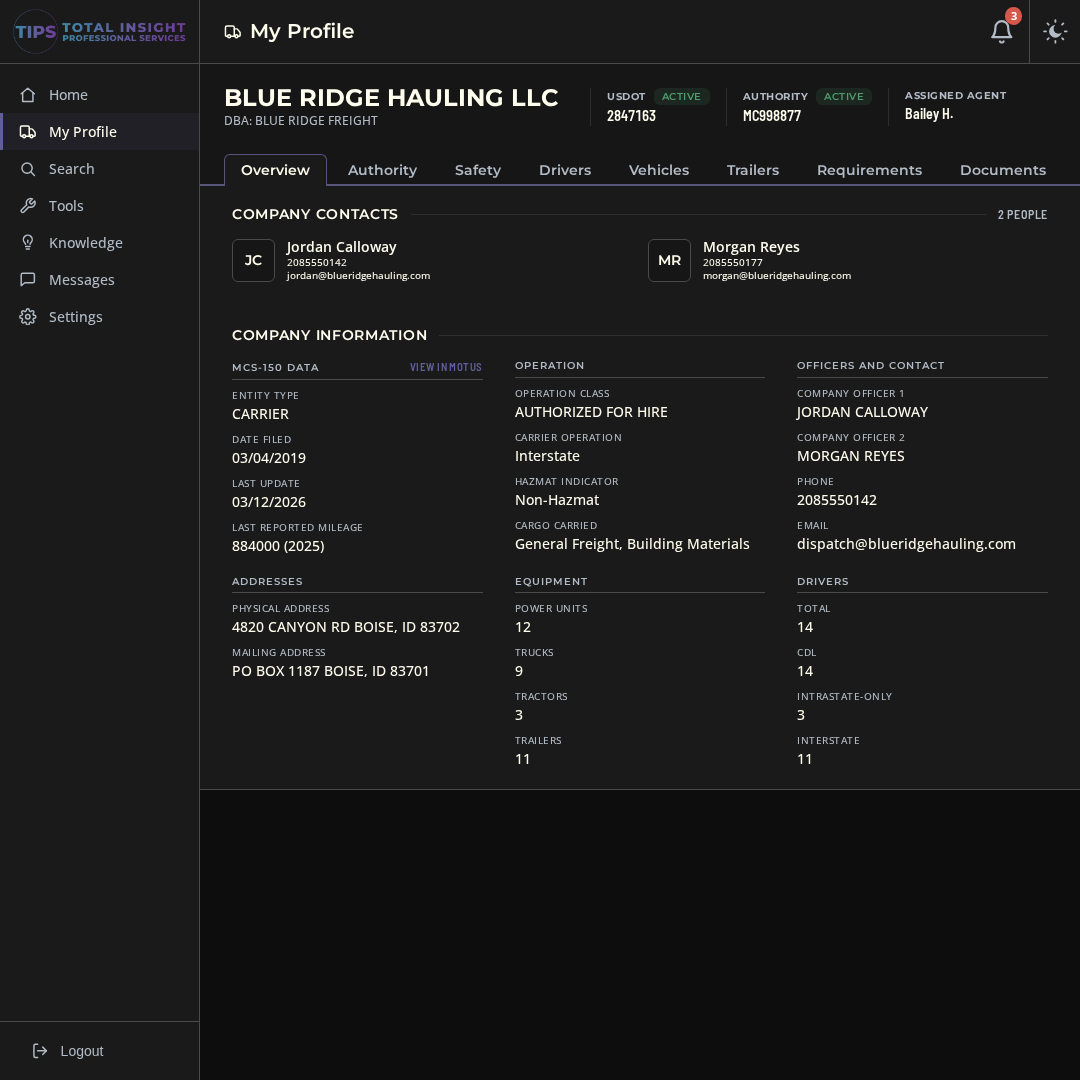
Legal name, DBA, USDOT and MC status, company officers, contacts, and your fleet and driver counts, straight from your MCS-150. This is what the DOT has on file for you, so you can catch anything that's out of date before it causes a problem.
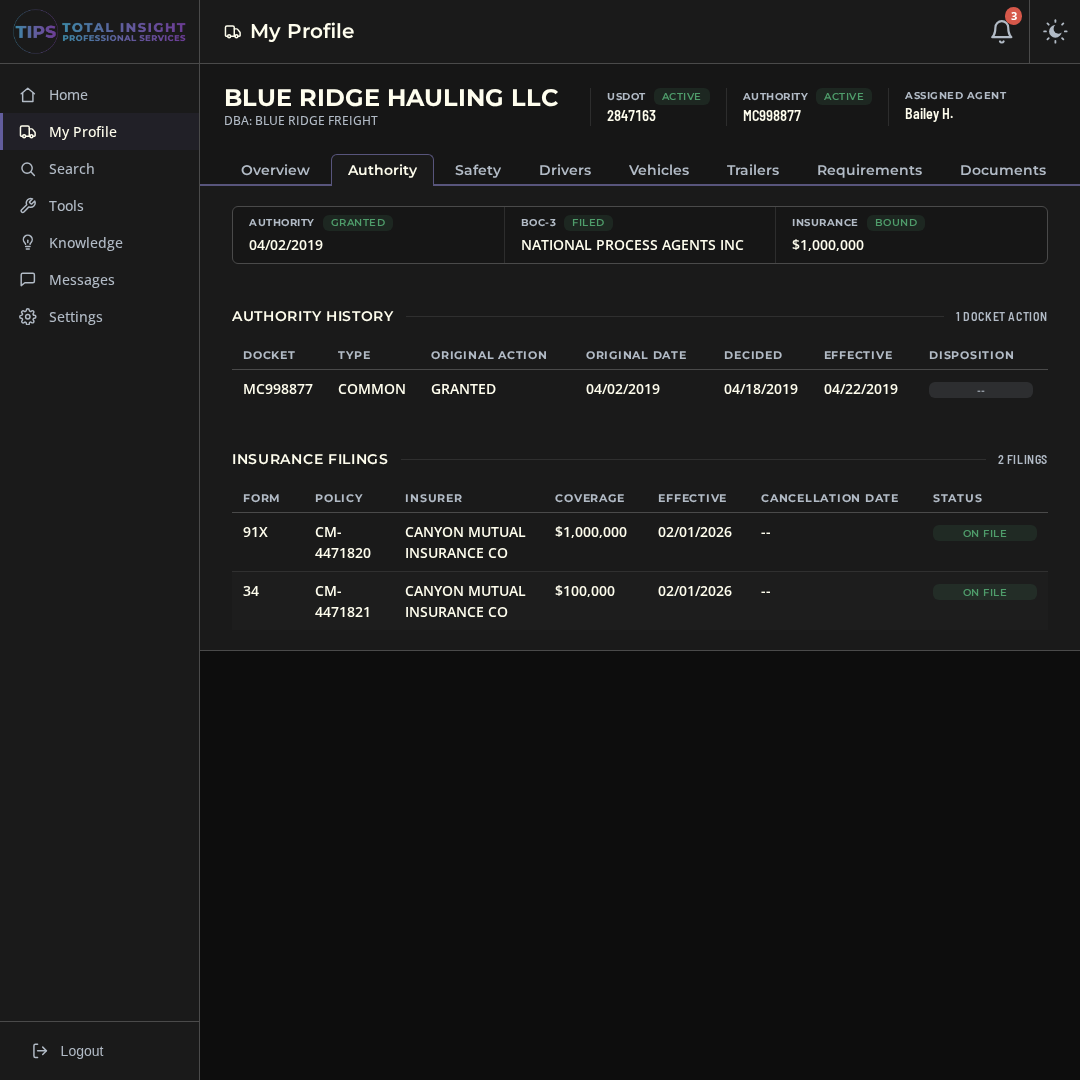
Every docket, your BOC-3 process agent, and every insurance filing FMCSA has for you, with effective dates and coverage amounts. If an insurance filing gets cancelled or replaced, you'll get a message.
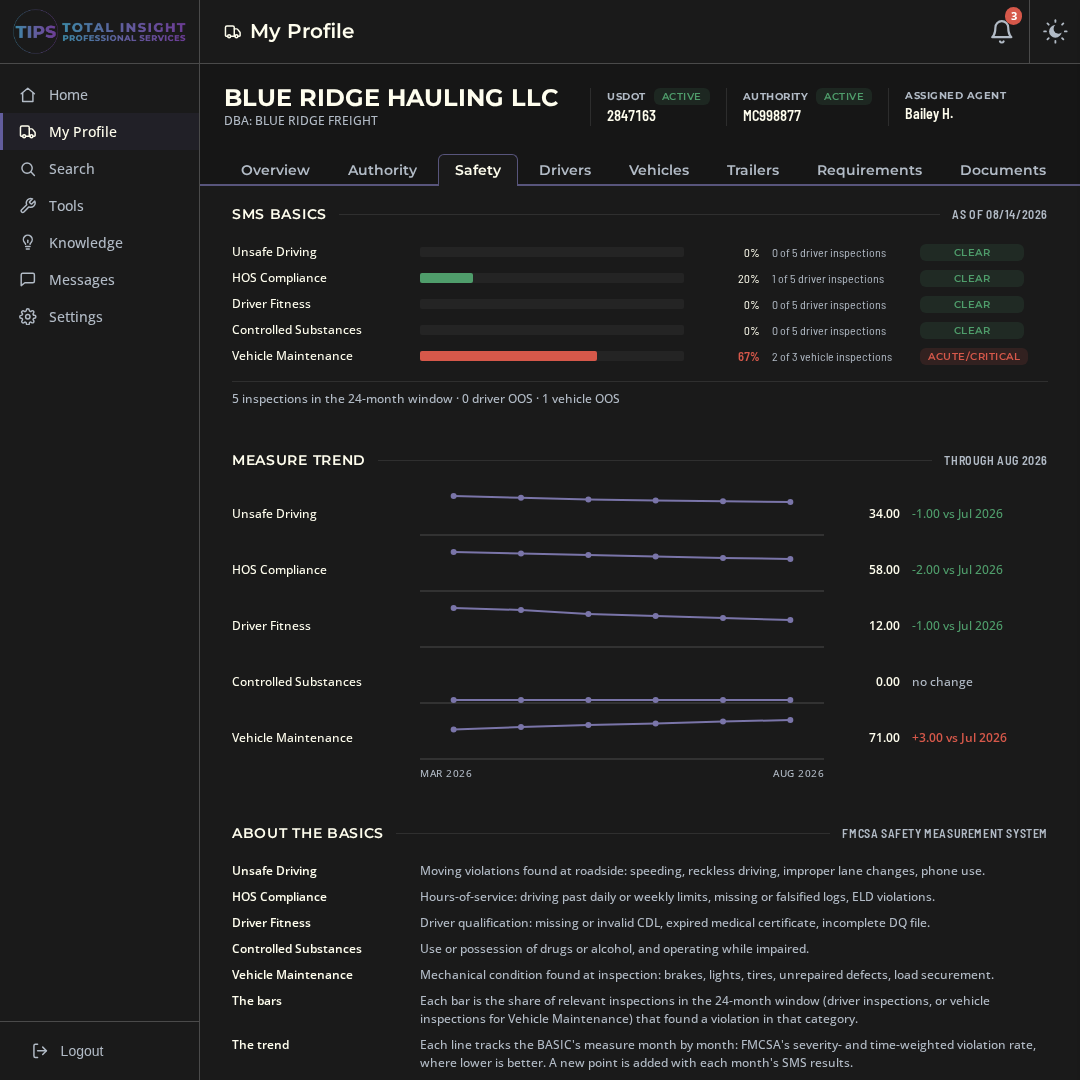
SMS BASIC scores with the month-to-month trend, every roadside inspection with the violations that were written up, and any crashes on your record. Catch a BASIC that's climbing before it turns into an audit.
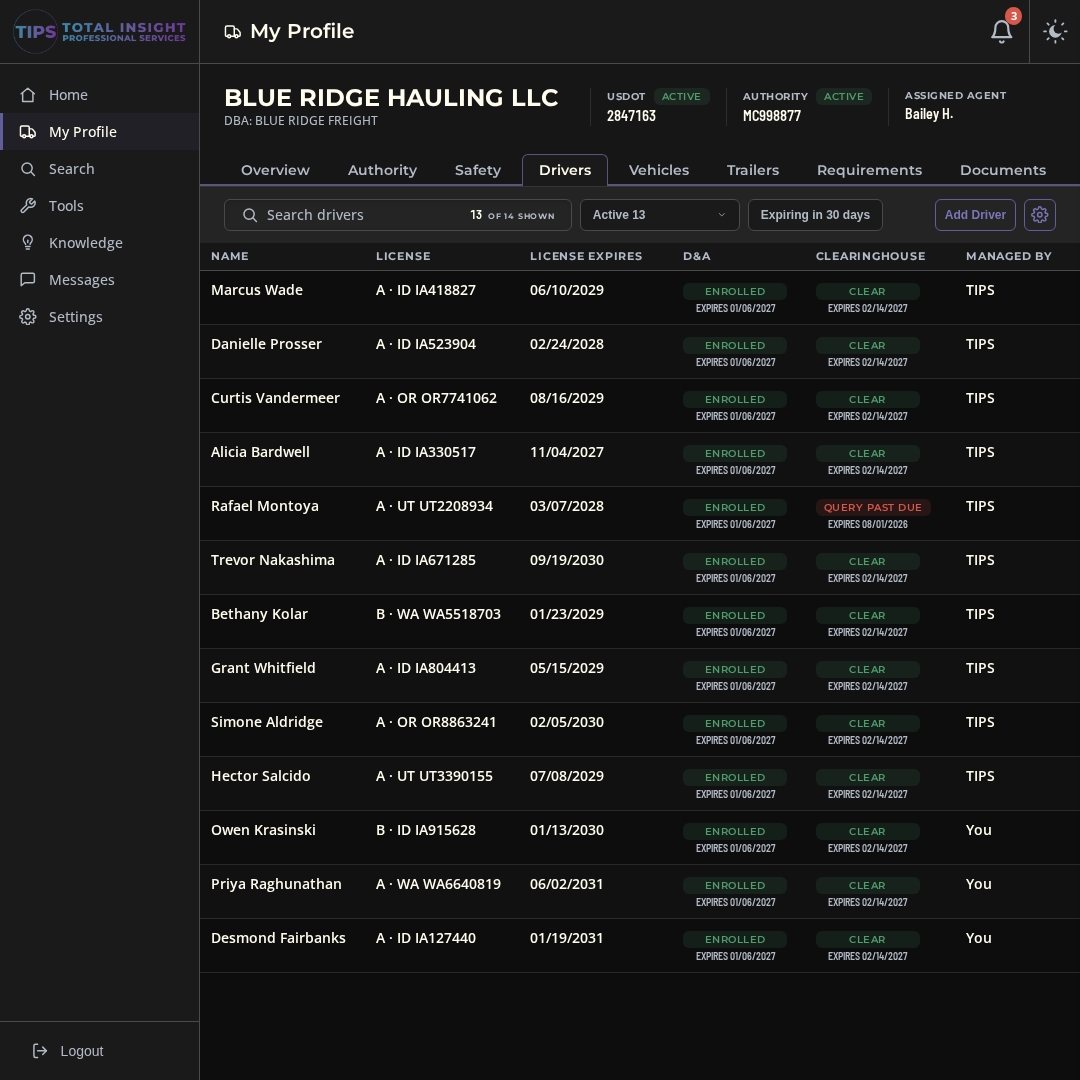
CDL class and expiration, medical cards, MVR reviews, hire dates, and truck assignments for every driver, with expiring items flagged ahead of time. Add your own fields for training, reporting location, roles, or anything else you want to track.
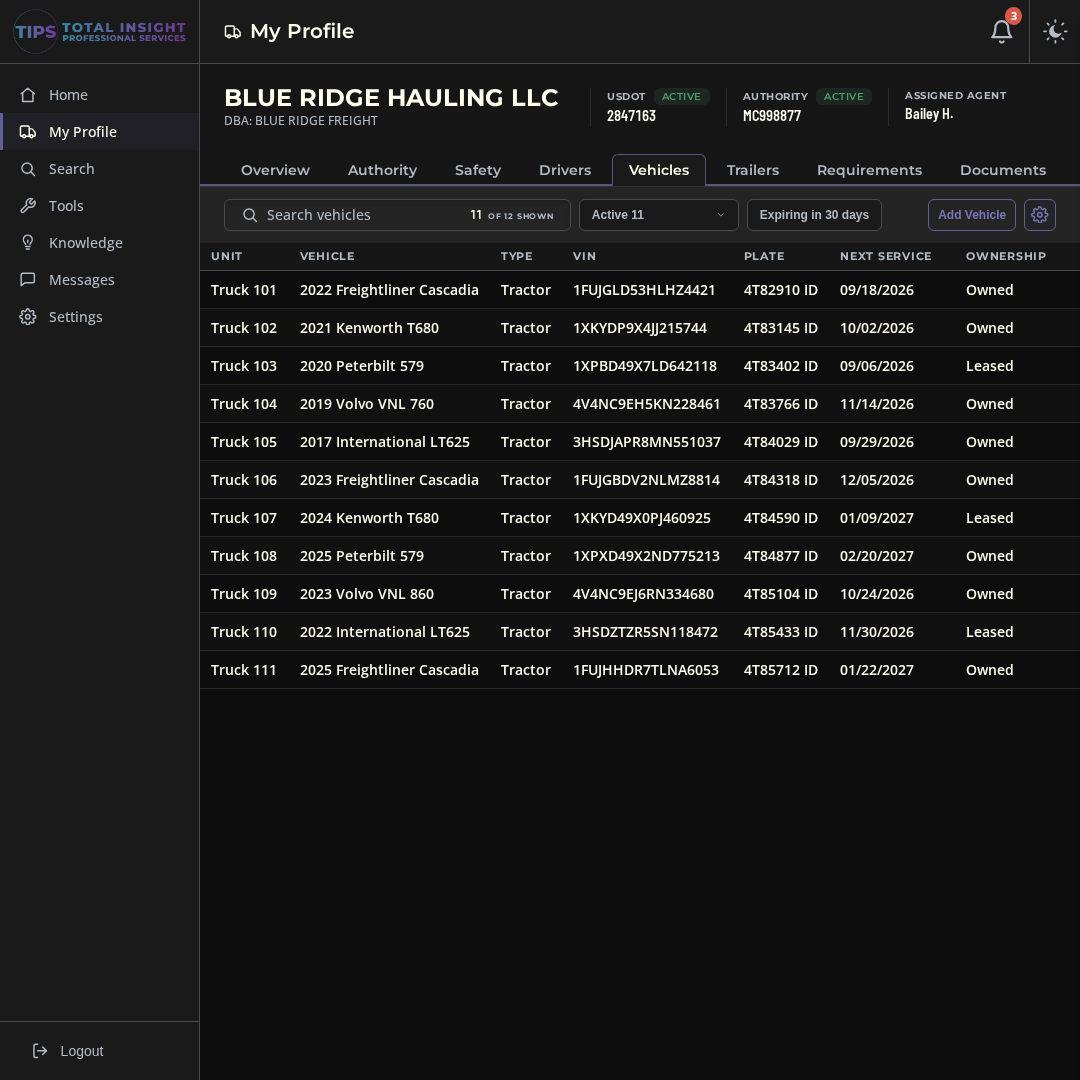
Year, make, VIN, plate, registration, and annual inspection dates for every power unit, along with the driver and trailer assigned to it. Expiring registrations and inspections show up on your calendar.
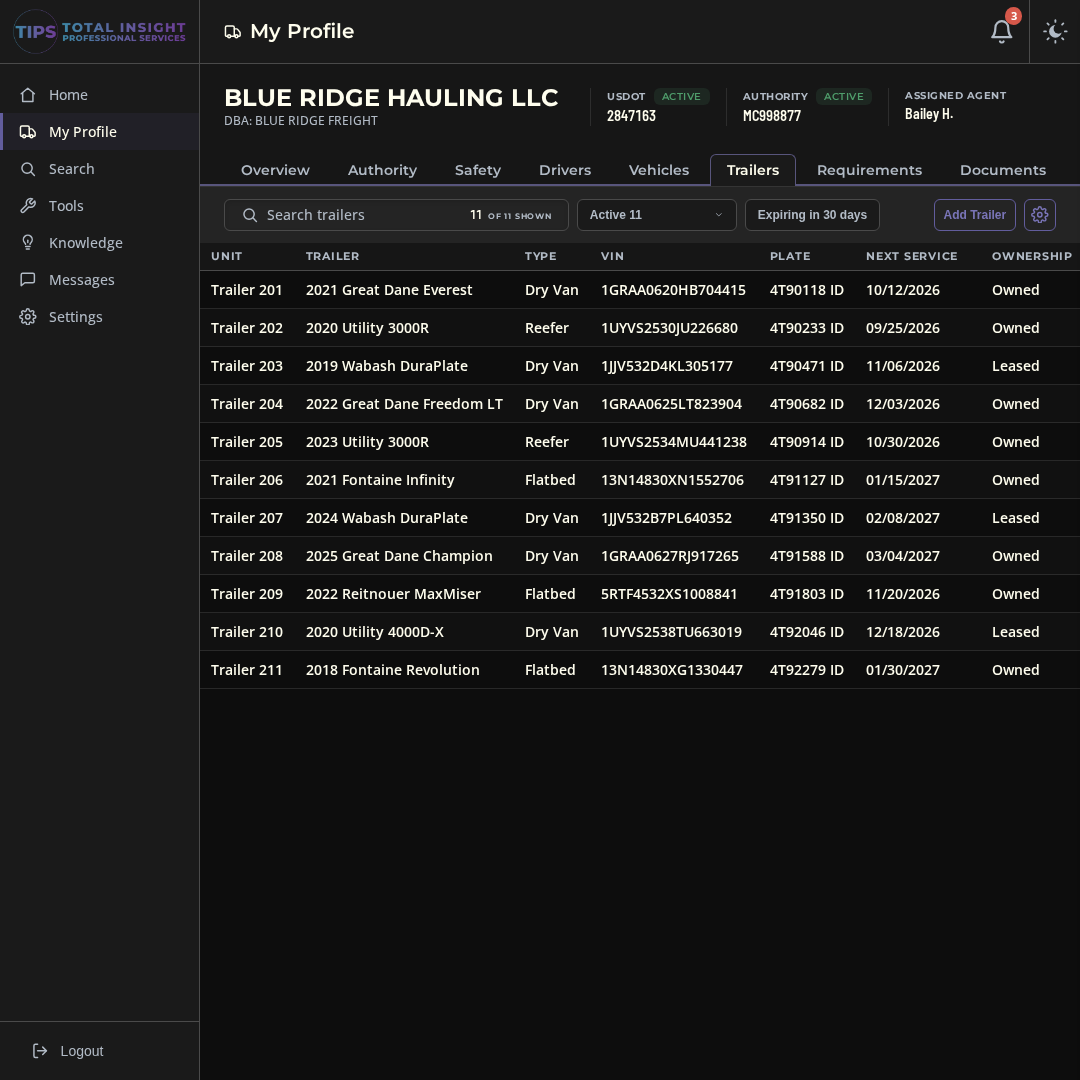
Dry vans, flatbeds, and reefers with VIN, plate, registration, and annual inspection dates, plus which truck each one is hooked to. One place to look when a trailer comes up for inspection.
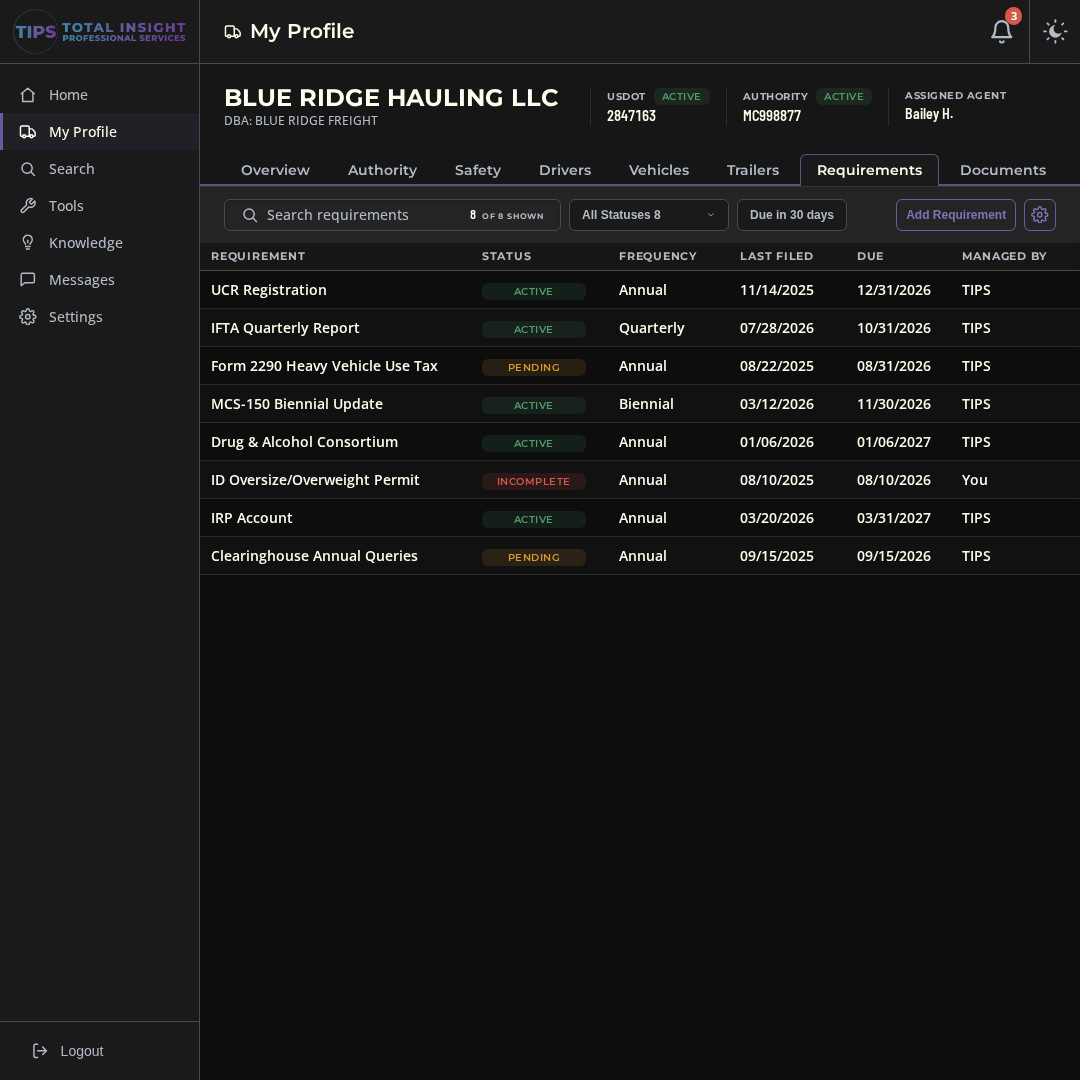
UCR, IFTA, Form 2290, Clearinghouse queries, state permits, and anything else you renew. Each one has a status, a due date, and the proof attached to it.
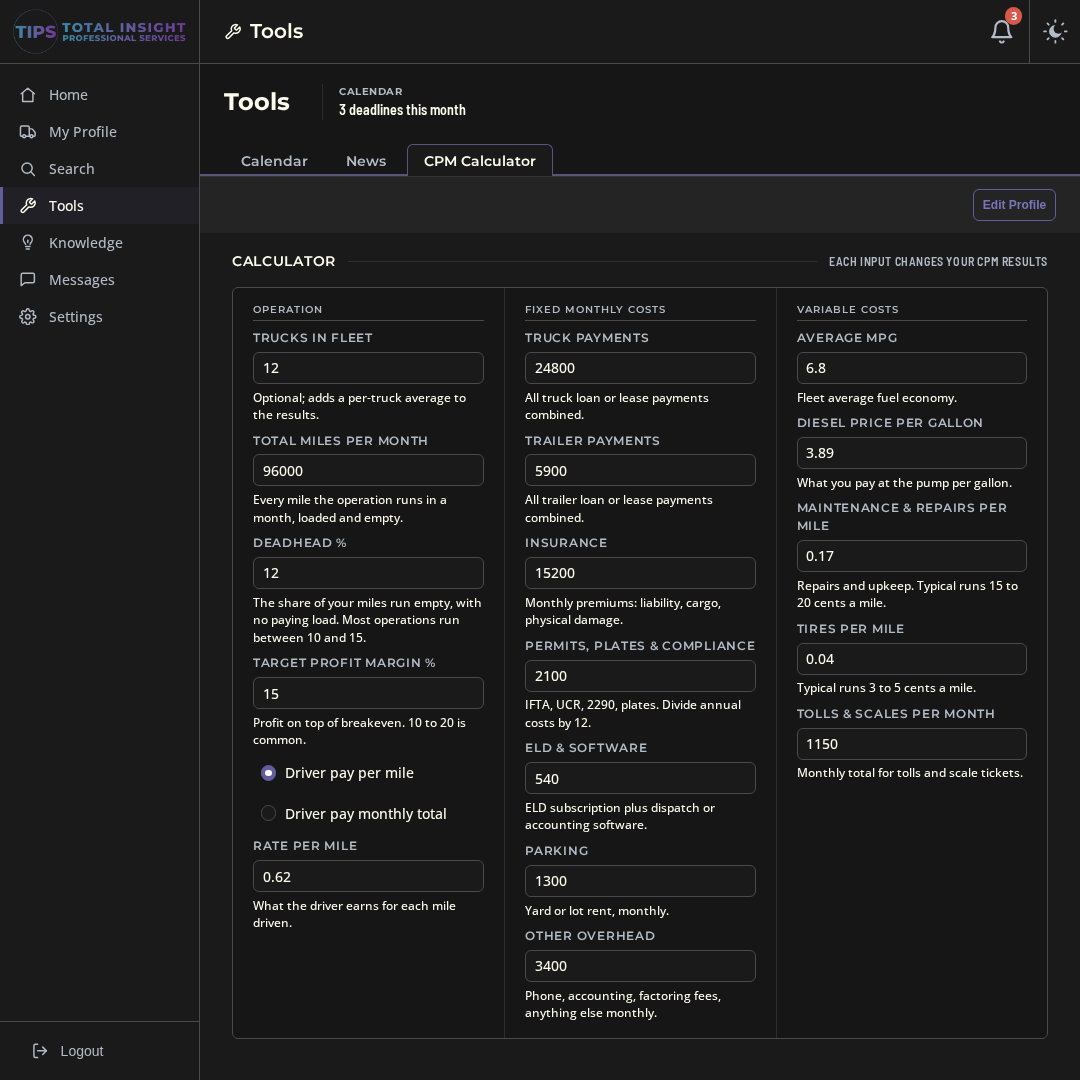
Upload cab cards, CDLs, insurance certificates, and anything else from your workspace. Anything TIPS files for you goes in the same place, so you always know who sent what and when.
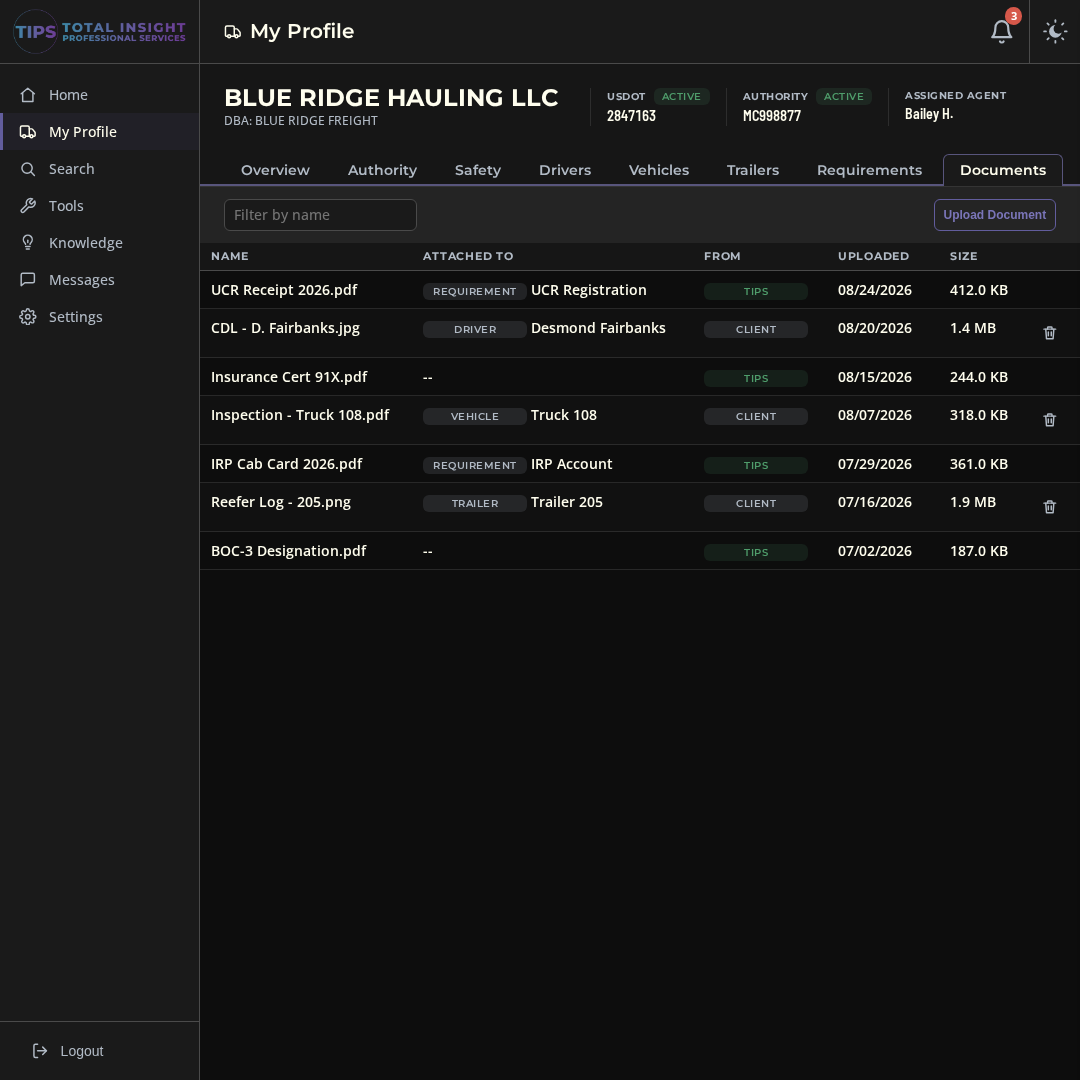
Three tabs under Tools. The calendar is where your deadlines live; the other two are there because you'd be looking them up anyway.
MCS-150 biennial updates, IFTA quarters, Form 2290, UCR, and your own dates like annual inspections, med cards, and permits. Add your own events too - they stay private to your company.
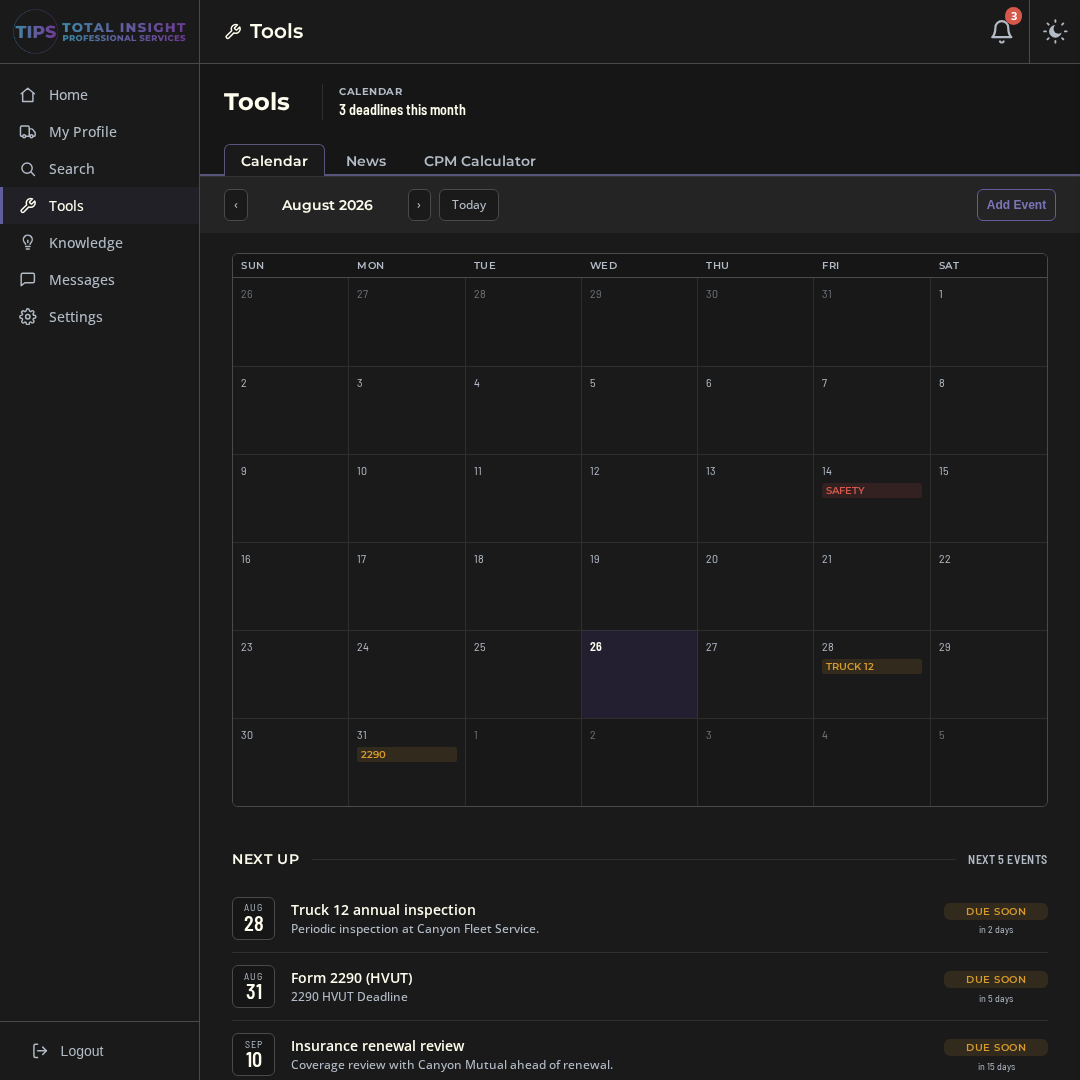
A daily feed of trucking and FMCSA news from the outlets we read every morning: regulatory changes, industry, and market news, sorted by category so you can skip what you don't care about.
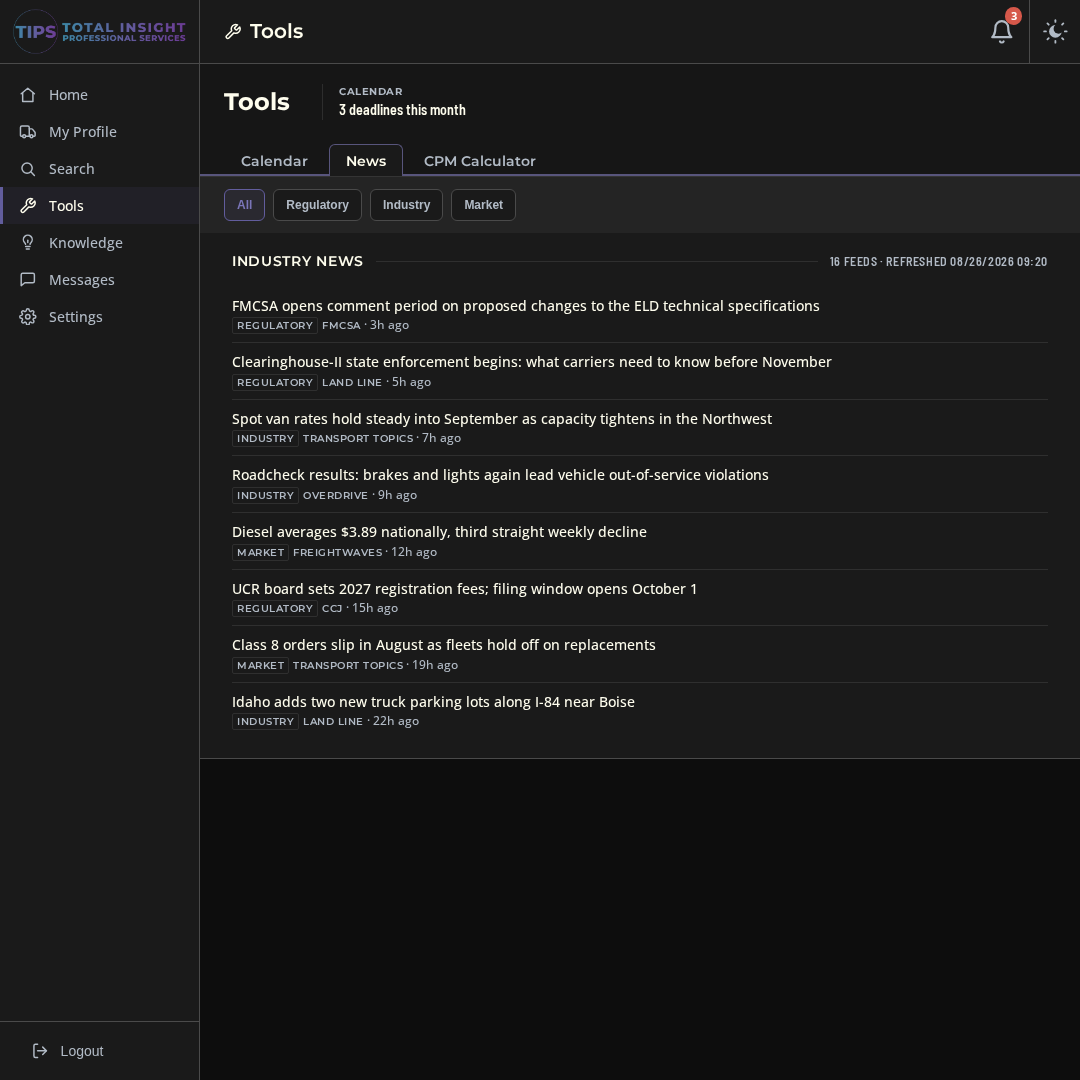
Put in your trucks, miles, and monthly expenses and see your cost per mile as you type. Save your profile, then check any load against it before you say yes to the rate.
Deadline reminders, changes to your FMCSA record, new inspections, and documents from TIPS show up in your inbox.
Check a broker's or carrier's authority, insurance, and safety record before you do business with them.
Plain-English guides to the filings and rules that apply to you, written by people who deal with them every day.
Export any roster as a PDF for an audit, an insurance renewal, or a broker packet. Pick the columns you want first.
Add your own fields to drivers, vehicles, and trailers for endorsements, training, or anything else your operation tracks.
Turn alerts on or off, add users from your company, and manage your subscription from Settings.
TIPS Tools comes from Total Insight Professional Services in Boise, Idaho. We set up authorities, manage ongoing compliance, and get carriers through audits. When you send a message in TIPS Tools, one of us answers it.
Both Bailey and Samantha are great; very proactive, detail-oriented, and always keeping our best interests in focus. From compliance guidance to setting up accounts and updating paperwork they handled everything with clarity and professionalism. I truly feel like they are a part of the team.
Very thorough and helpful. Samantha helped me get my dot number reinstated after a failed audit. They work very quickly and explain everything along the way. It was a very overwhelming process on my own but super simple once I got their help.
We started our Authority just last December and have been working with Samantha for compliance. she is truly so knowledgeable and explains anything and everything we have wondered about or unaware of. she is timely, kind and very professional.
Reviews are for TIPS compliance services, from Google, Facebook, and Trustpilot. Read all of them at tiproservices.com/testimonials.
No tiers, no per-truck pricing, no setup fee.
Billed once a year by card in the app. That's 3 months free compared to monthly.
Everything included, no payment details required. If you subscribe later, your workspace, records, and files are right where you left them.
Everything. Your FMCSA record, drivers and equipment, the calendar, reminders, documents, and messaging with us, for 14 days. No card needed, and nothing gets charged when the trial ends.
Your login pauses and you can pick the monthly or annual plan. Nothing gets deleted, so when you subscribe you pick up right where you left off.
Yes. Your workspace is built from your FMCSA record, so you need an active USDOT number. If you're still getting set up, give us a call at (208) 398-0635. We do that too.
Your authority, insurance, safety rating, BASIC scores, inspections, and crashes come from FMCSA's public systems and are refreshed on a regular basis. Your drivers, equipment, and permits are whatever you (or we) enter.
The subscription is for the software. If you want us to handle a filing (MCS-150 updates, UCR, BOC-3, audit help, or anything else), send us a message and we'll get you a quote.
Yes. Add users from Settings. Everyone you add sees the same company records, calendar, and inbox.
No. Your records, documents, and messages are only visible to your users and the TIPS team. Your FMCSA data is already public; nothing you enter gets shared outside TIPS.
Request a cancellation from Settings. You'll get a confirmation within one business day. No phone call, no hoops.
14 days, everything included, no card. Here's what happens next: